Pair a TV screen
A paired TV shows the score of whatever you are scoring, with no code to type each time. One screen is included on Free and Pro. Premium runs several at once and fills the time between matches.
Plans: Free Premium What each plan includes
-
Open score-all.com/tv on the TV Free
Use the TV’s web browser, or a laptop or streaming stick plugged into the TV. You see Connect this screen and a QR code.
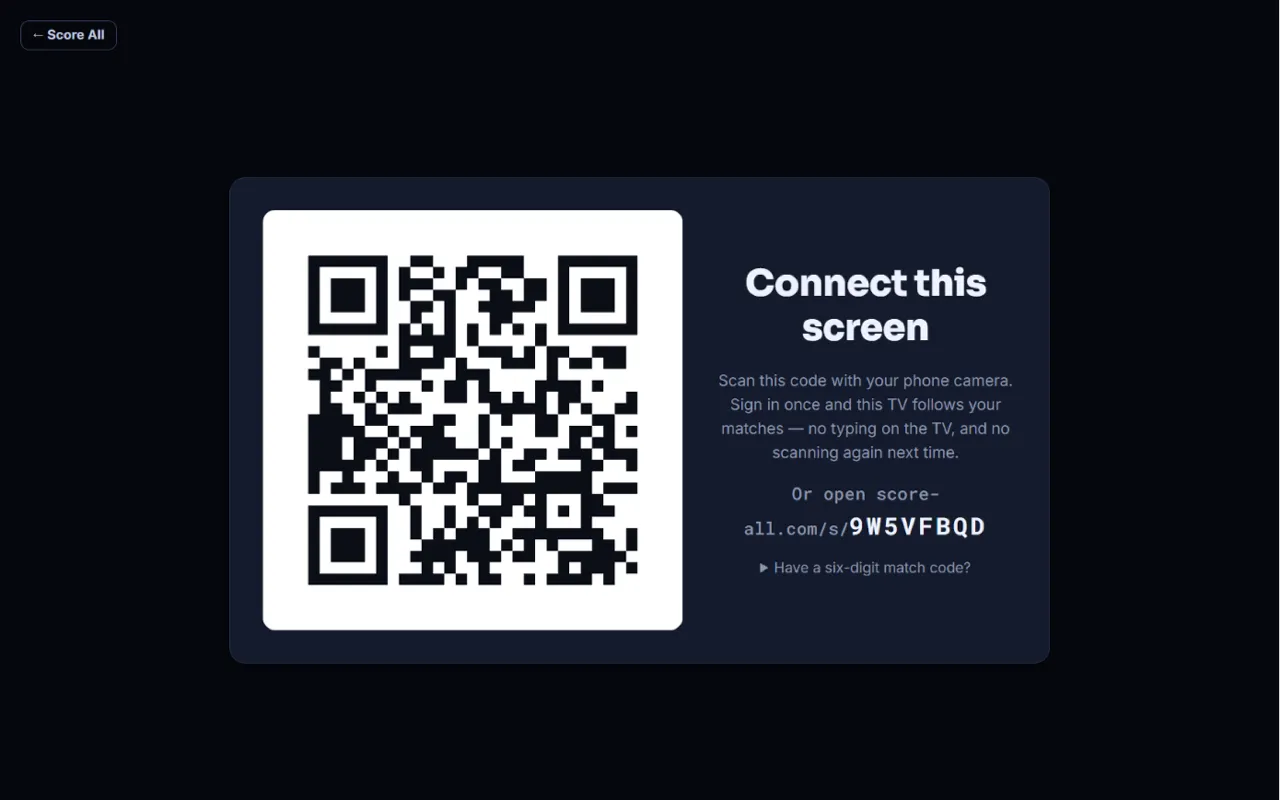
The Connect this screen page with its QR code -
Scan the code with your phone Free
Point your phone’s camera at the QR code and open the link. Sign in if asked. No camera? On your phone, open the address shown under the QR code (score-all.com/s/ and the code). Codes change every few minutes.
-
Choose what it shows Free
On Pair this screen, give it a name, like Main TV. Then pick Follow me (whatever match you are scoring), My match on now, or A tournament court (whatever is played on one court of your event, all day). Tap Pair the screen. The TV switches over in a few seconds.
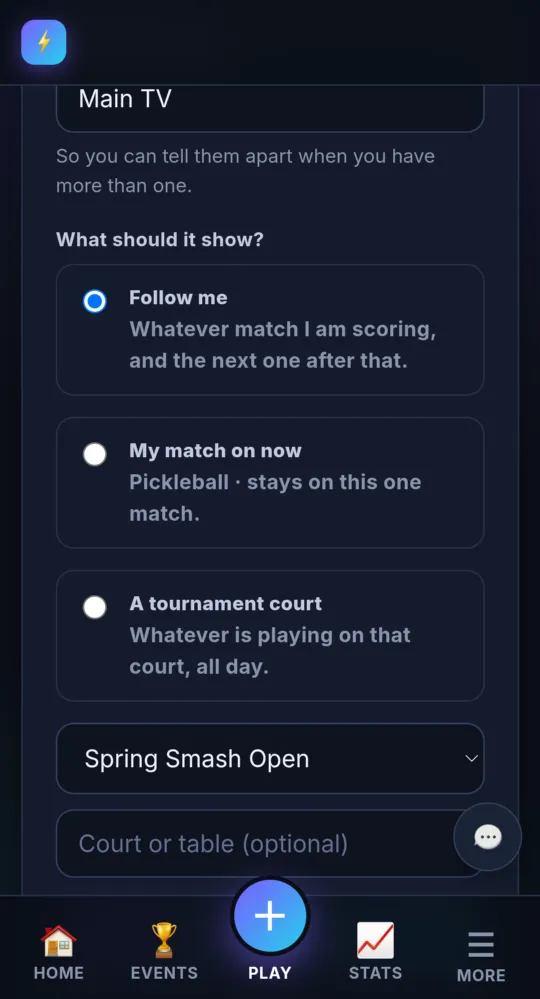
On a phone -
Leave it on Free
While a match is live, the TV shows its score. Between matches it says Waiting for the next match and switches over by itself when scoring starts. The TV remembers the pairing, so you never scan again.
-
Manage your screens Free
Open 🖥️ TV screens from the menu. Each screen shows Connected or Not connected. Change its Name and What it shows, then tap Save. Open this screen opens it on this device; Unpair forgets it.
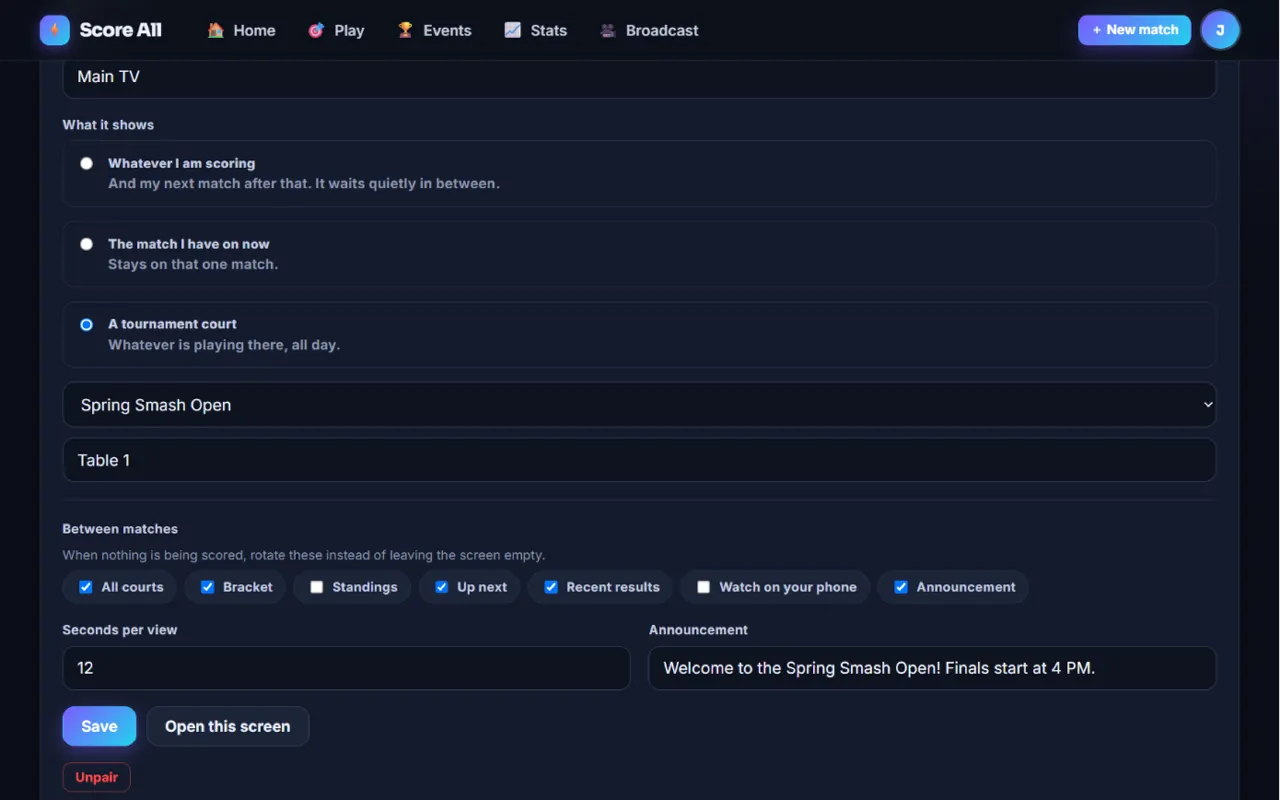
The TV screens page 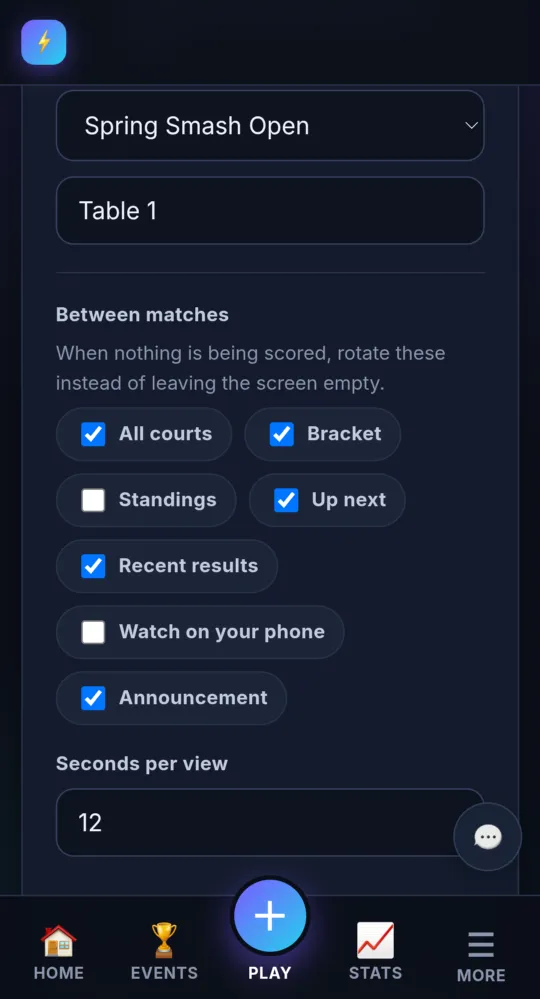
On a phone -
Show more between matches Premium
Under Between matches, tick what to rotate: All courts, Bracket, Standings, Up next, Recent results, Watch on your phone (a QR code to follow the event) and Announcement. Set Seconds per view. All but the announcement need the screen to follow a tournament court.
-
Write an announcement Premium
Type a short message under Announcement, like “Finals at 3pm”, and tick Announcement.
-
Run several screens Premium
Pair each extra TV the same way. Each one can follow its own court.
- If you move from Premium to another plan, your first screen keeps working and the others show that they need Premium.
- Just one match and no pairing? Use the six-digit TV code; see Share the score.
Something not working like this?
Tell us what happened, or what is missing. We read every message.