Run a Texas Hold’em tournament
Score All runs the clock, the seats and the money for a Texas Hold’em tournament. Pro runs one table of up to 8 players. Premium runs several tables with no player limit. This part of Score All is in early access.
Plans: Pro and up Premium What each plan includes
-
Open poker tournaments Pro and up
From the menu, tap ♠️ Poker tournaments, then ♠️ New tournament.
-
Fill in the basics Pro and up
Type a Tournament name and pick the Date. Choose Players per table and Expected players; that number sizes the blinds and the payout preview. Add a venue and notes if you like.
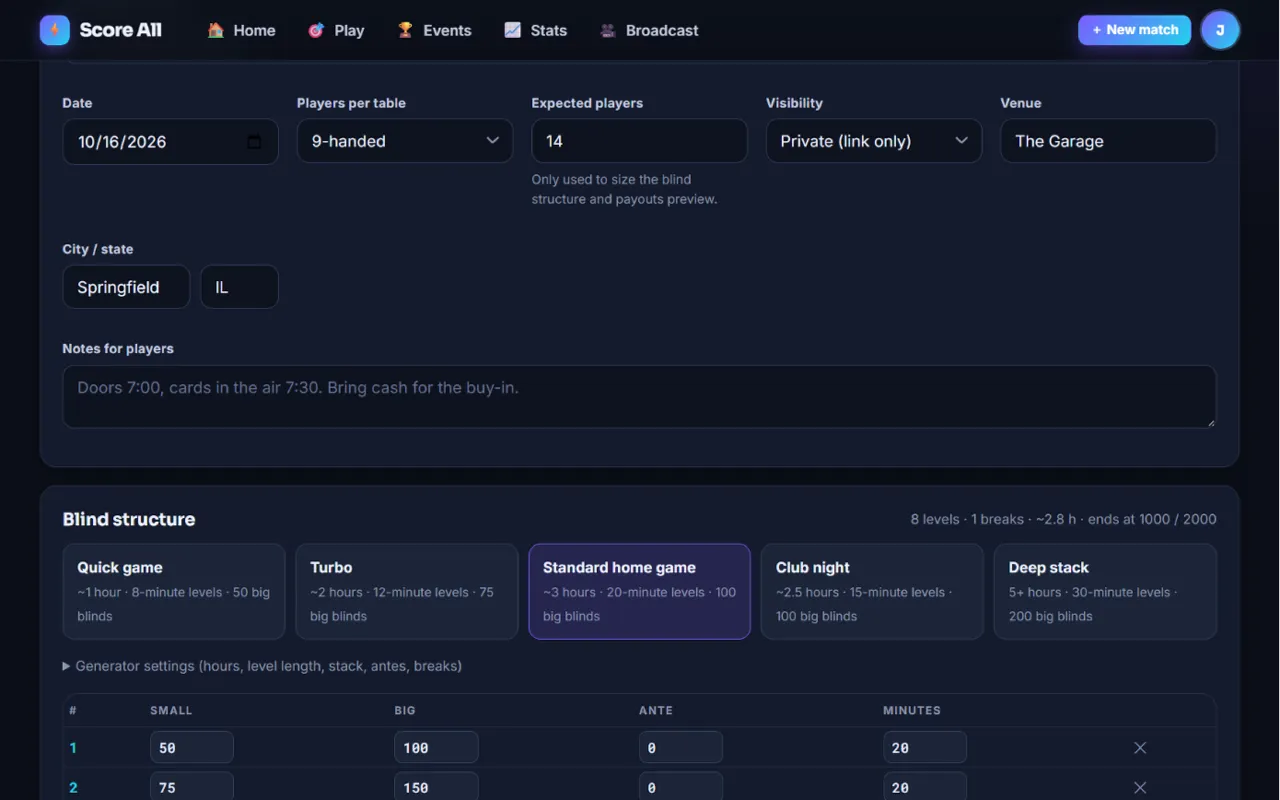
New poker tournament: basics and blind structure 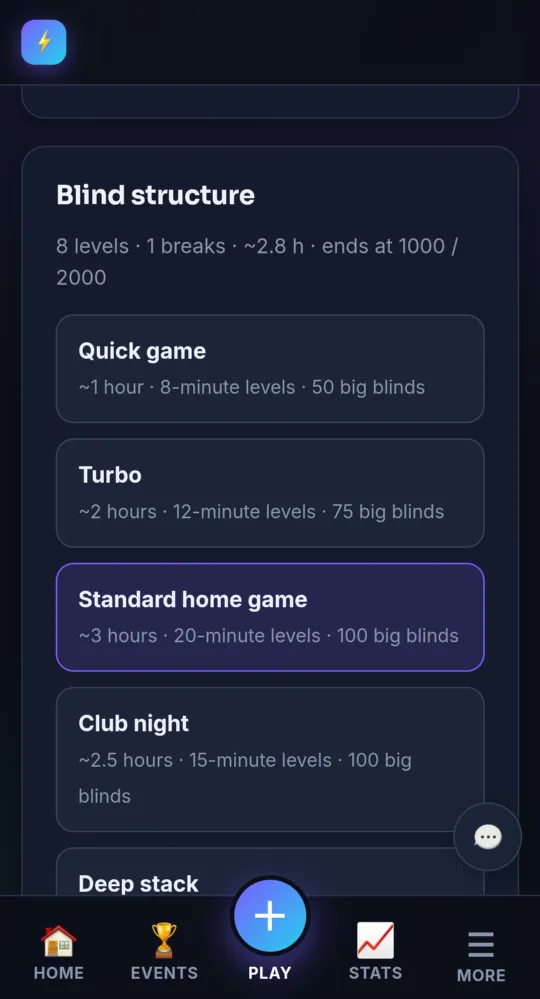
On a phone -
Pick a blind structure Pro and up
Pick a template: Quick game, Turbo, Standard home game, Club night or Deep stack. Open Generator settings to set the length, level minutes, starting stack, antes and breaks, then tap ↻ Regenerate from these settings. You can change any number in the table, or add + Level and + Break.
-
Set the buy-in, rebuys and add-ons Pro and up
Set the Buy-in and any House fee, which stays out of the prize pool. Turn on Rebuys or Add-on to set their price, chips and when they are allowed. Play money turns cash off and keeps points only.
-
Set payouts and bounties Pro and up
Payout mode Automatic by field size is the easy choice. You can also pick a shape, or type your own percentages or amounts. The preview shows the prize pool and the places paid. Add a Bounty per player for knockouts.
-
Create it Pro and up
Tap Create tournament →. You land on the director console.
-
Add players Pro and up
Tap + Add player, type a name (and an email to track their record), and tap Register. On Pro, the table holds up to 8 players.
-
Start the clock Pro and up
Tap ▶ Start tournament. Seats are drawn and the clock starts. Use ⏸ Pause, +1 min, −1 min and the level buttons as needed.
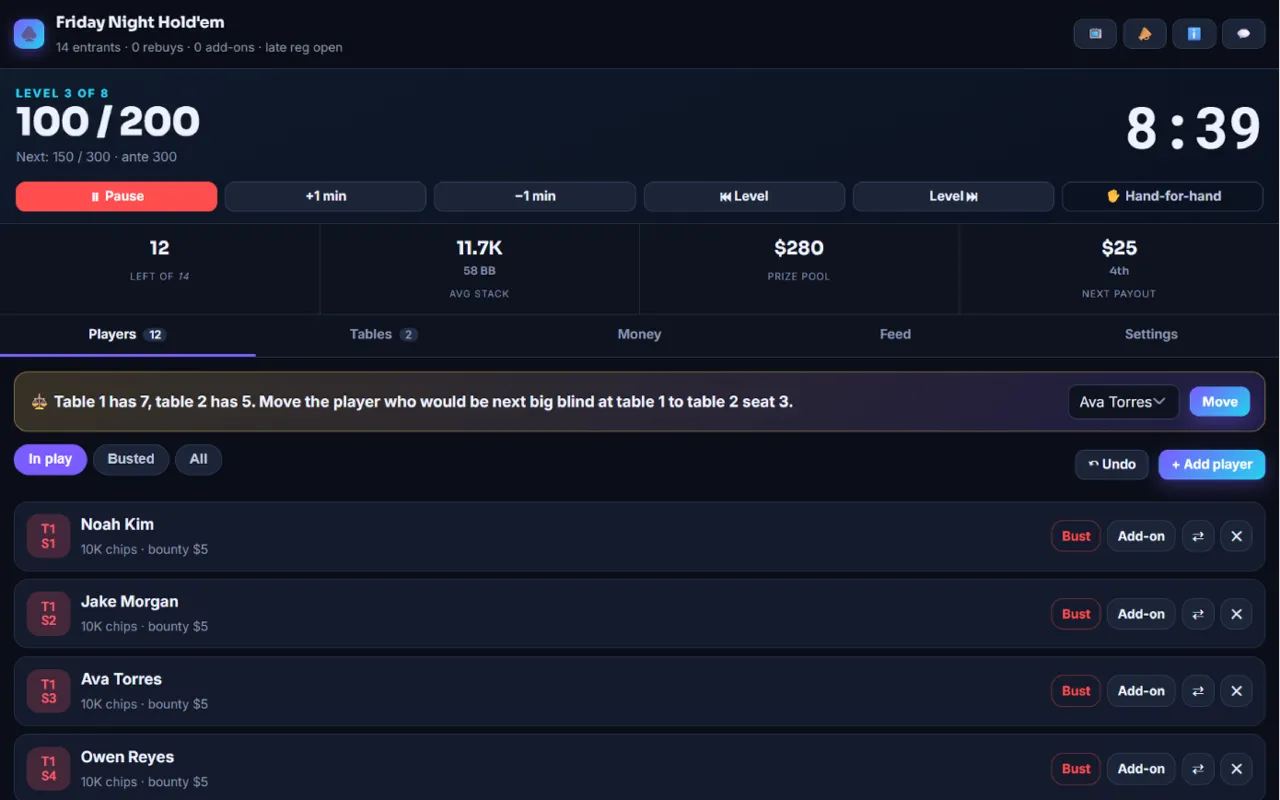
The poker director console 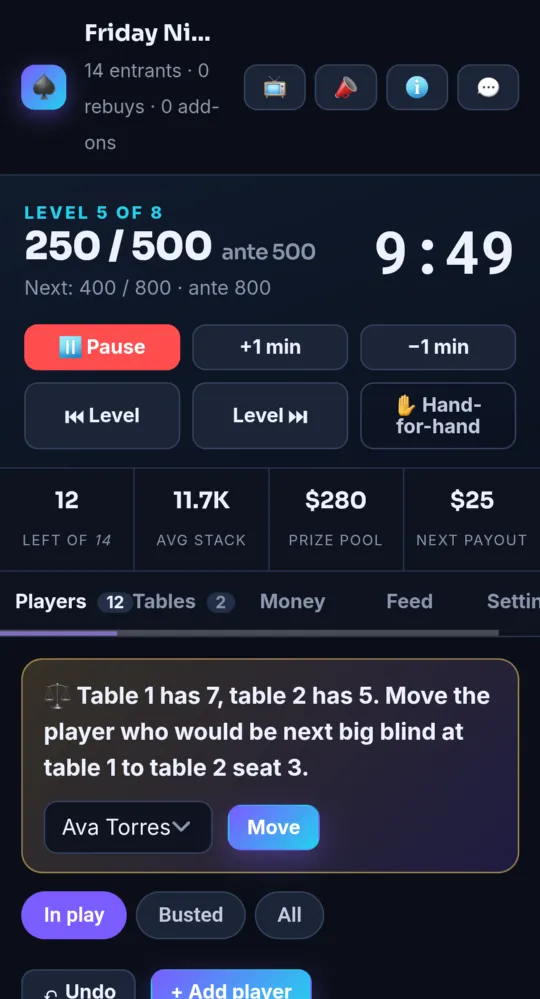
On a phone -
Bust-outs, rebuys and add-ons Pro and up
On the Players tab, each player has Bust, Rebuy and Add-on. Bust asks who knocked them out, for bounties. ↶ Undo takes back the last bust, rebuy, add-on or move.
-
Balance the tables Premium
With more than one table, the console suggests moves to keep the tables even, when to break a table, and when to seat the final table. Tap Move to accept a move.
-
Make a deal Pro and up
On the Money tab, tap 🤝 Deal calculator. Enter everyone’s chips and tap Calculate. It shows a chip chop (split by stack), an ICM split (by each stack’s chance of finishing in each paid place) and a hybrid halfway between. Pick one and tap Record this deal.
-
Show it on a TV and on stream Pro and up
On the Settings tab, tap Copy TV for the TV display and Copy overlay for your stream. These links work without signing in. Regenerate links stops the old links working.
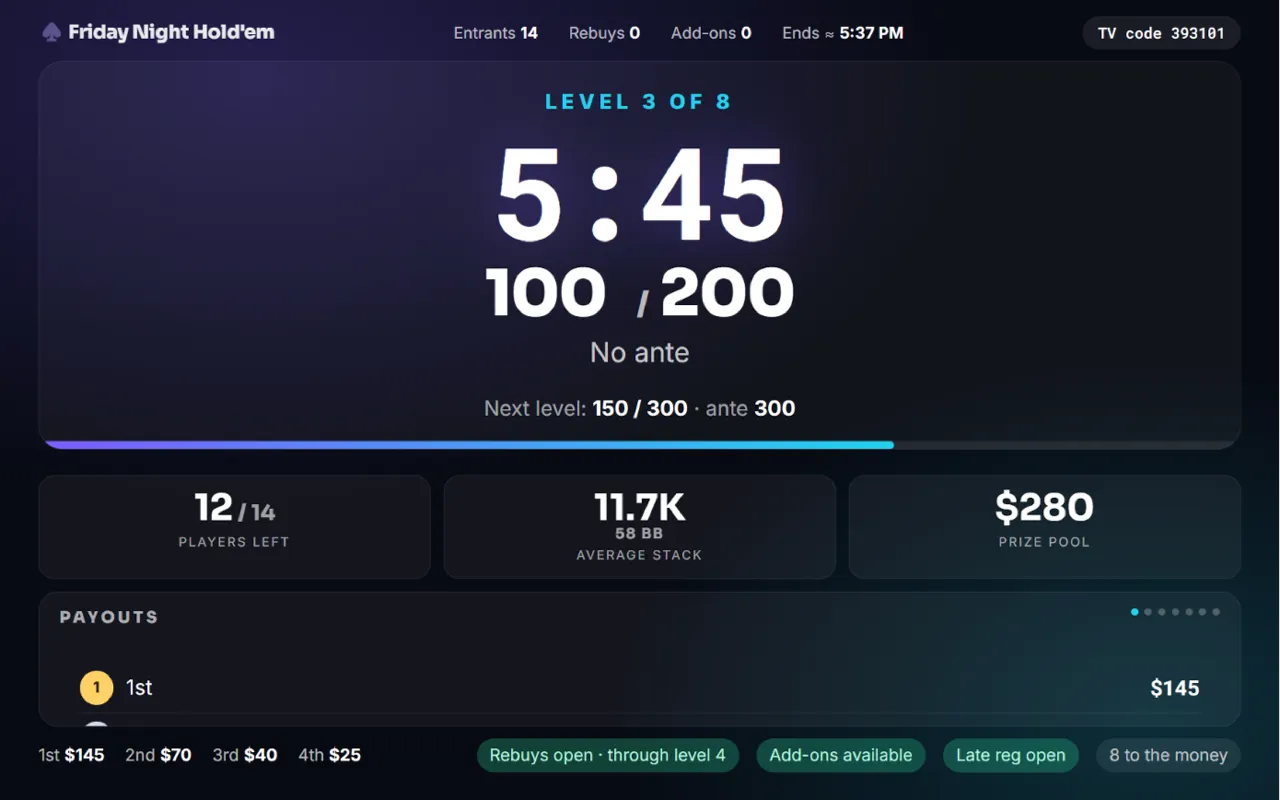
The poker TV display with the clock and blinds -
Finish Pro and up
Tap 🏆 Finish tournament on the Settings tab. The results page shows the winner and every place.
Not built yet. Want one of these sooner? Tell us.
- Players joining by scanning a QR code
- A league standings page
- Satellite and shootout formats
- Table captains entering bust-outs from their own phones
Something not working like this?
Tell us what happened, or what is missing. We read every message.