Set up a tournament
Creating a tournament needs Pro (up to 16 players, one day) or Premium (up to 64 players over several days). Anyone can play in one, on any plan.
Plans: Pro and up Premium What each plan includes
-
Open New tournament Pro and up
Tap 🏆 Events, then 🏆 New tournament.
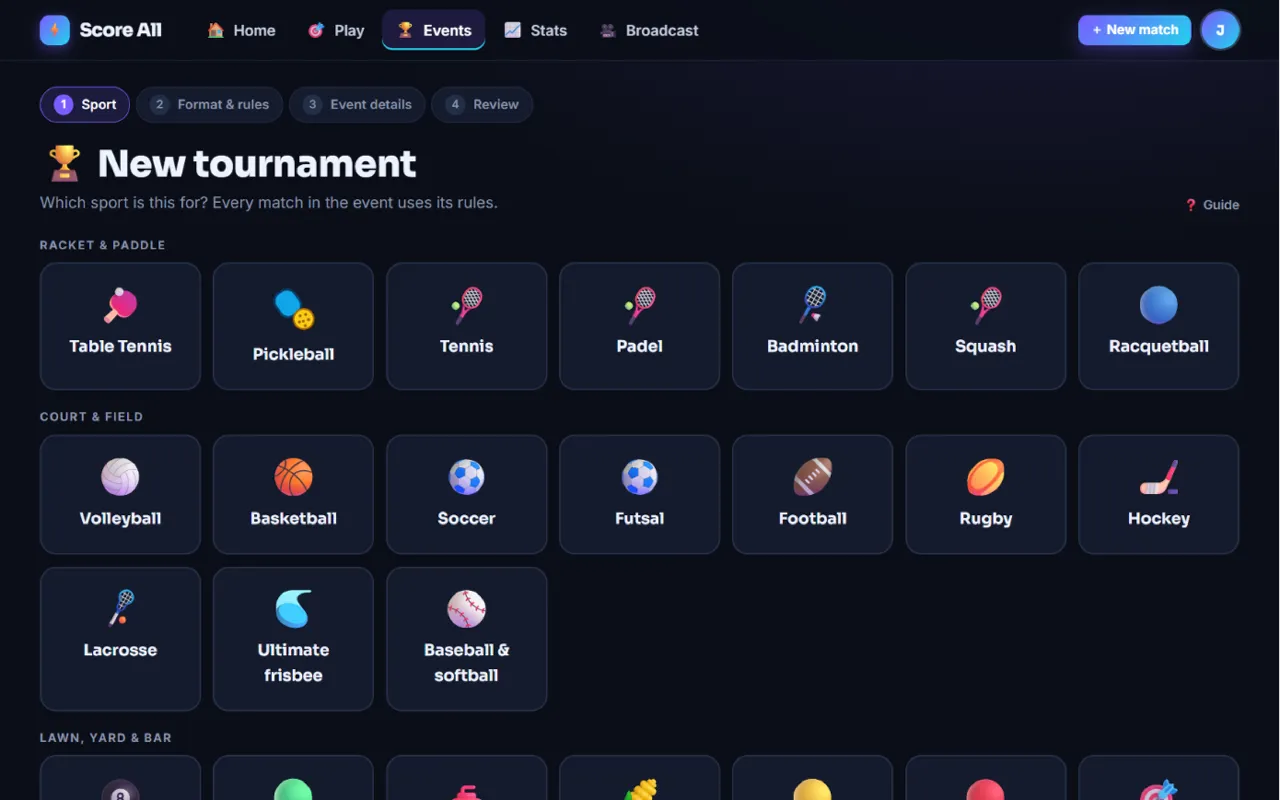
Step 1 of New tournament: pick the sport 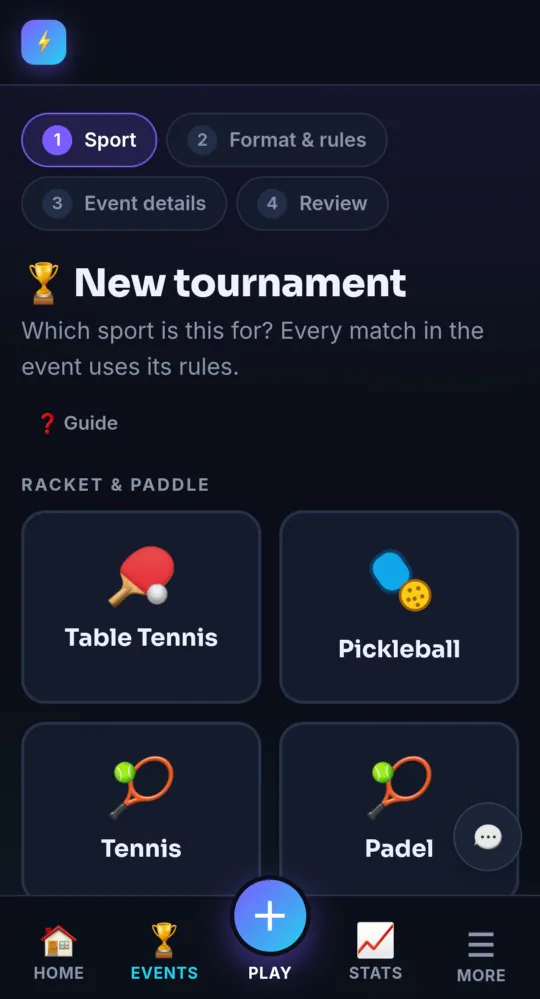
On a phone -
Pick the sport Pro and up
Step 1 is Sport. Tap a tile. Only games that can run as a bracket are listed. Texas Hold’em has its own setup; see Texas Hold’em.
-
Pick a format Pro and up
Step 2 is Format & rules. Pick Single elimination, Double elimination, Round robin or King of the Hill. Each tile says how it works.
-
Set the match rules Pro and up
Pick a preset under Match rules, or open ⚙️ Fine-tune the rules. Every match in the event uses these rules, so you set them once. Tap Next: event details →.
-
Fill in the event details Pro and up
Step 3 asks for the Tournament name, Start date, City and State / region. Start time, Finish time, Time zone, Venue and Street address are optional. The address goes on calendar invites and the map link.
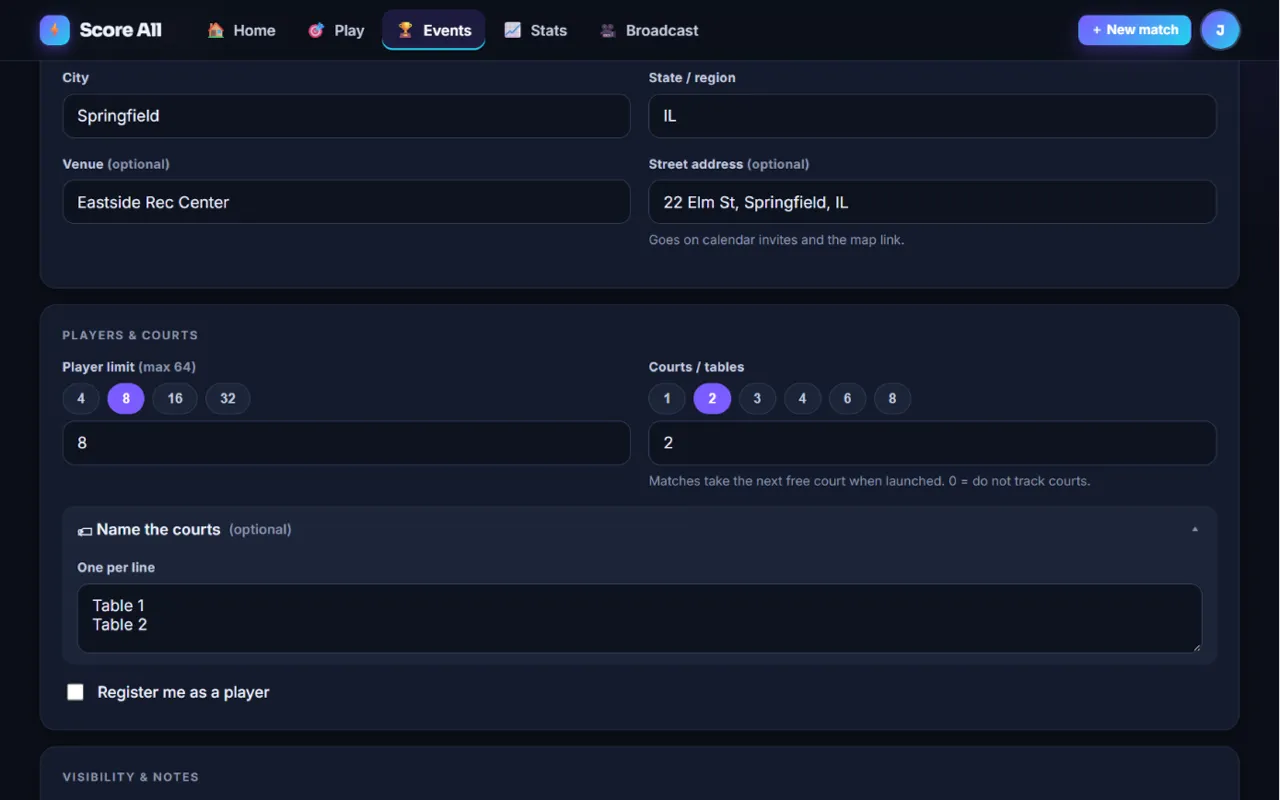
Step 3 of New tournament: event details 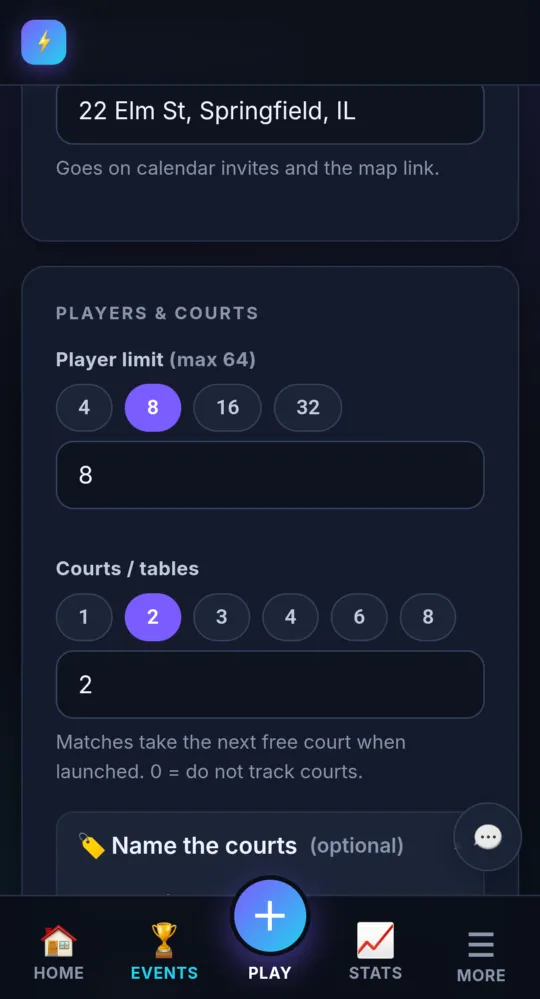
On a phone -
Run it over several days Premium
On Premium, add an End date for an event over several days. On Pro, events are one day and the End date is locked.
-
Set the player limit Pro and up
Under Players & courts, pick a Player limit. Pro goes up to 16 players, Premium up to 64. Tick Register me as a player if you are playing too.
-
Add courts or tables Pro and up
Set Courts / tables to how many you have (0 means no court tracking). Open 🏷 Name the courts to name them, one per line, like Table 1 and Table 2. The court shows on the bracket and on every scoreboard.
-
Choose who can find it Pro and up
Under Who can find it: Public is listed in the tournament directory and anyone can join. Unlisted works only for people with the link. Private is invite only.
-
Review and create Pro and up
Step 4, Ready to create?, sums it all up. Tap Edit on any line to change it. Pick an overlay template under Broadcast overlay if you like. Tap Create tournament →. You land on the organizer console.
- On Free, the New tournament page explains the Pro plan instead of showing the form.
- Need a paper bracket? The printable bracket at score-all.com/tournaments/printable-bracket needs no account.
Something not working like this?
Tell us what happened, or what is missing. We read every message.