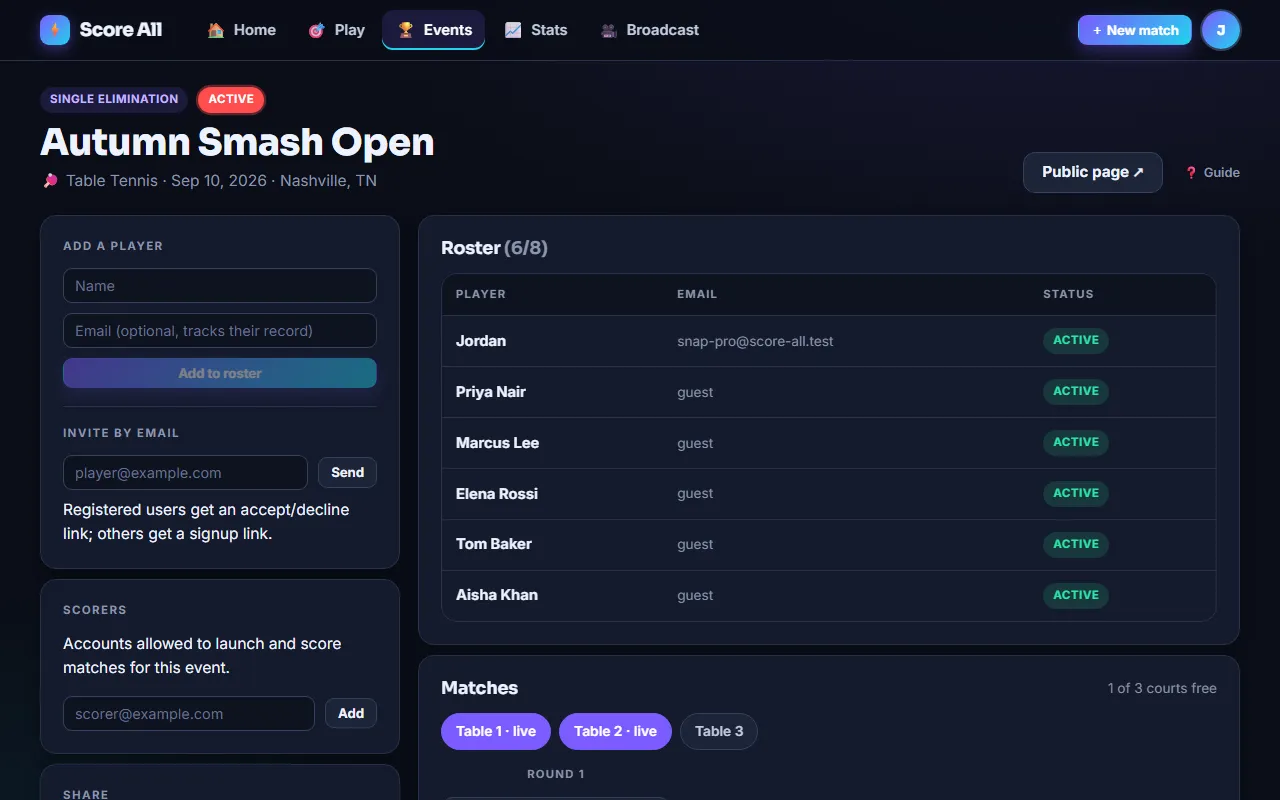
🏆 Running a tournament
Create it, fill it, launch matches to courts, and let the bracket advance itself.
Single elimination
Lose once and you are out. Byes handled automatically.
Double elimination
A loss drops you to the losers bracket. Bracket-reset grand final.
Round robin
Everyone plays everyone. Standings by wins, then point differential.
King of the Hill
Winner stays on, loser goes to the back of the queue. Great for drop-in play.
Tournament creation is a Pro feature
Anyone can join or watch a tournament. Creating one needs Pro (up to 16 players, single day) or Premium (up to 64 players, multi-day).
Rules apply to every match
The rules panel is the same one you use for a single match. Whatever you set is what every bracket match launches with, so you configure it once. Pick an overlay template here too and every match inherits it.
Visibility
Public lists the event in the directory (and emails people who asked about tournaments near your city). Unlisted works by link only. Private is invite only.
Registration
Share the public link so players can join themselves (with an optional doubles partner), invite by email from the console, or add players directly by name or email. Seeds are optional; unseeded fields are shuffled.
Blocking
Block an email from one event or from all of your events. Unblock any time.
Generate the bracket
When registration is done, tap Generate bracket. This locks the roster. Byes are placed automatically and anyone who draws one advances immediately.
Launch a match
Every match that is ready shows a Launch button. That creates a real live match with its own console, scoreboard link, TV code and overlay URL.
Scorers
Add other Score All accounts as scorers so they can launch and score matches for this event from their own phones.
Automatic advancement
When a match ends, the winner moves to the next slot (and the loser to the losers bracket in double elimination), standings update, or the King of the Hill queue rotates. A champion banner appears when the event is decided.
The public page
Spectators see the live bracket or standings with scores updating every few seconds, the roster, and a "tell me about tournaments near here" box.