🎯 Scoring a match
From picking a sport to the final point.
Start a new match
Tap a sport on the dashboard's Play now grid for a one-tap start with your last rules, or Play in the top bar (the + button on a phone) for the full wizard. Pick a sport tile.
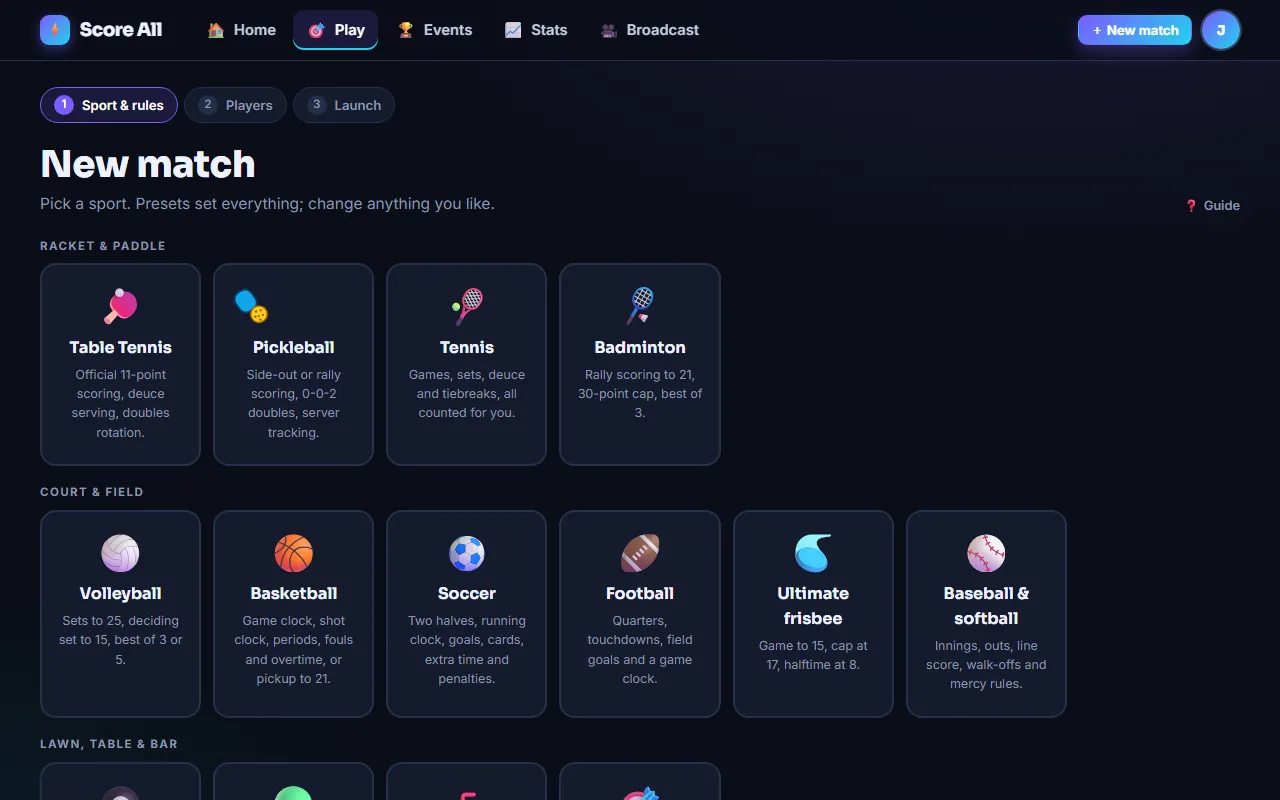
Presets do the thinking
Every sport has built-in presets (ITTF standard, USA Pickleball doubles, Fast4 tennis, BWF badminton, high-school basketball, slow-pitch softball, knockout soccer with penalties and more). Pick one, then change any field, including the House rules group: skunk, caps, handicaps, side-out scoring, mercy rules, exact finish. Pro and Premium accounts can save their own presets for next time.
What the options mean
- Format: singles or doubles (teams for court and field sports).
- Series length: single game or best of 3/5/7.
- Points to win and win by 2: when a game ends.
- Swap ends in the deciding game: a one-time reminder at the midpoint of the game that can decide the match.
- Who serves first: a side, or a coin flip resolved by the app.
- Sport specifics: table tennis serves per turn (2 or classic 5); pickleball side-out vs rally scoring and the freeze rule; tennis no-ad, tiebreak and match-tiebreak options; clock sports' periods, shot clock, overtime, sudden death, shootouts and mercy rules; baseball innings, outs, run caps and extra-inning limits.
Four ways to fill a slot
- Me: you, the host.
- Name only: a quick guest. Shows on the scoreboard, does not build a record.
- Name + email: a tracked player. Their record and rating accumulate under that email, and merge into their account if they ever sign up.
- Score All account: look them up by email. They get an invite email with the live link.
Team logos
With a Pro or Premium plan you can upload a logo per side. Logos belong to the match, not the overlay template, since the teams change every time.
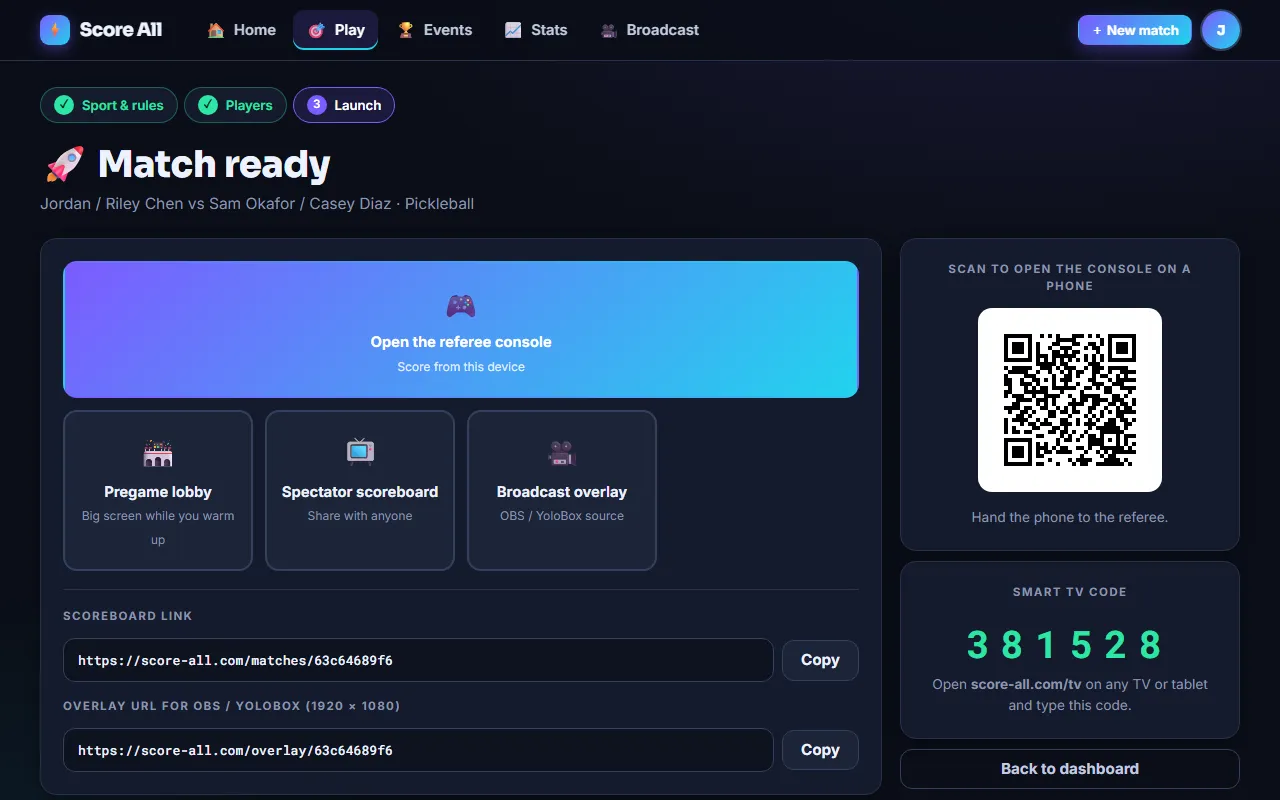
The launch screen
After you create the match you get a QR code for the referee console, buttons for the console, the spectator scoreboard, the broadcast overlay and the pregame lobby, plus the copyable overlay URL and the six-digit TV code. Anyone can type that code at score-all.com/tv to open the scoreboard on any screen.
Tap to score
Racket sports show two big tap zones. Tap the side that won the rally. In pickleball side-out mode, tapping the receiving side records a fault (serve passes, no point). Button sports (basketball, football, bocce, shuffleboard, baseball) show the point values per side, plus Foul, Timeout, Out or shootout buttons as the sport needs, with a clock bar underneath for timed games.
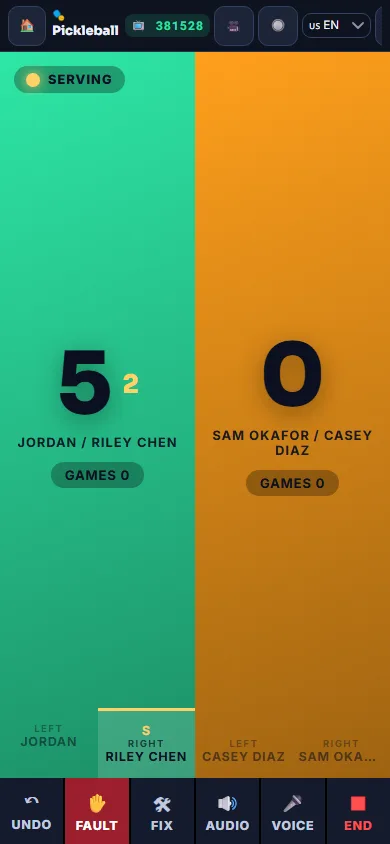
Undo and Fix
Undo reverses the last action and restores the exact serve and position state. Fix lets you set scores, games, serve, fouls or the clock directly if things got out of sync.
Audio, voice and buttons
- Audio speaks the score after each point in the language you choose.
- Voice (Chrome and most Android browsers): say "left", "right", "fault", "undo", or "right three" in basketball.
- Keyboard: ← and → score, ↓ or space is fault, Backspace is undo. Any Bluetooth clicker or foot pedal that acts as a keyboard works.
- Remote (Pro and up): per-match URLs a microcontroller or webhook can hit to add a point without a browser.
Ending a match
Matches finish on their own when the win condition is met (or the final period's clock expires). You can also tap End at any time to record the current score as final. Everyone with an email on the roster gets the result.
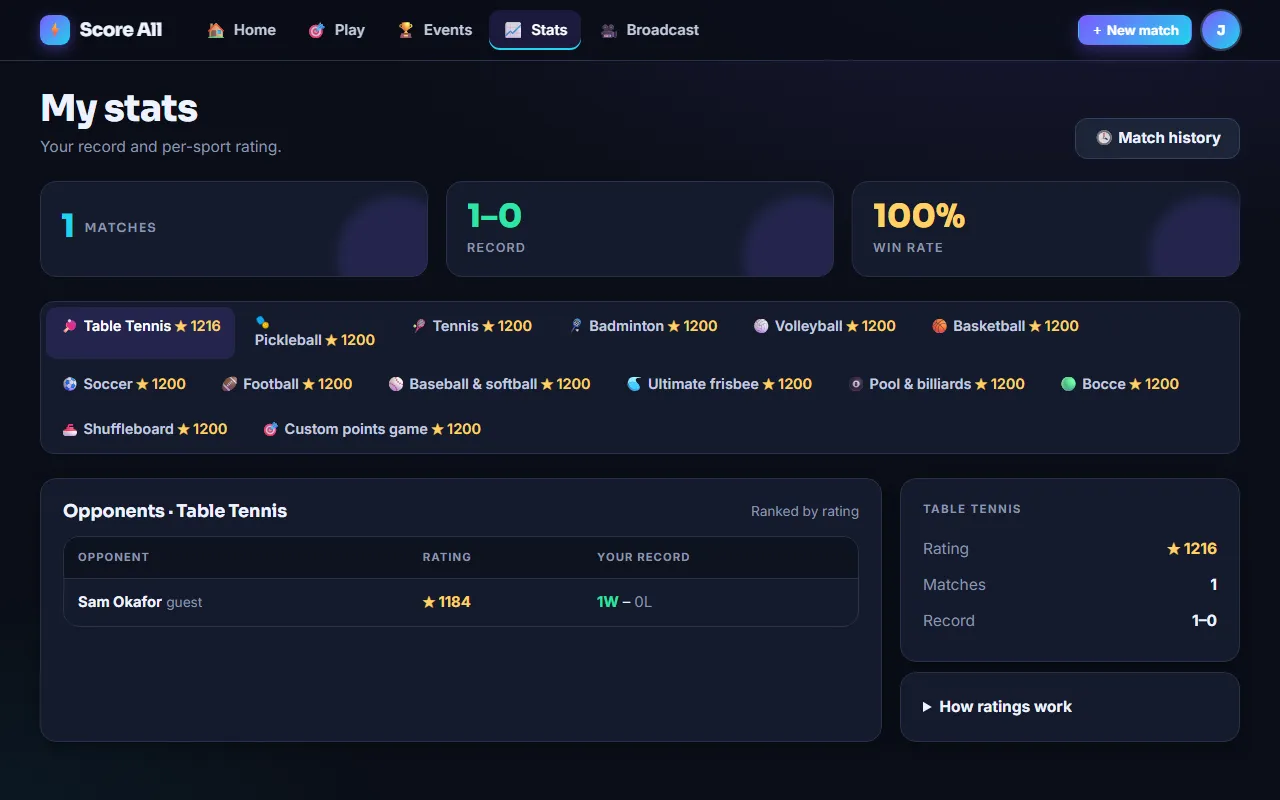
Recap, history and ratings
Every match has a recap page with the play-by-play. Your dashboard shows recent matches; Pro and Premium unlock the searchable history and opponent rankings. Ratings are Elo, per sport, and only count matches against tracked players.