🎥 Broadcast overlays
A live, self-updating scoreboard graphic for OBS, YoloBox, vMix or any browser-source tool.
Templates are per sport
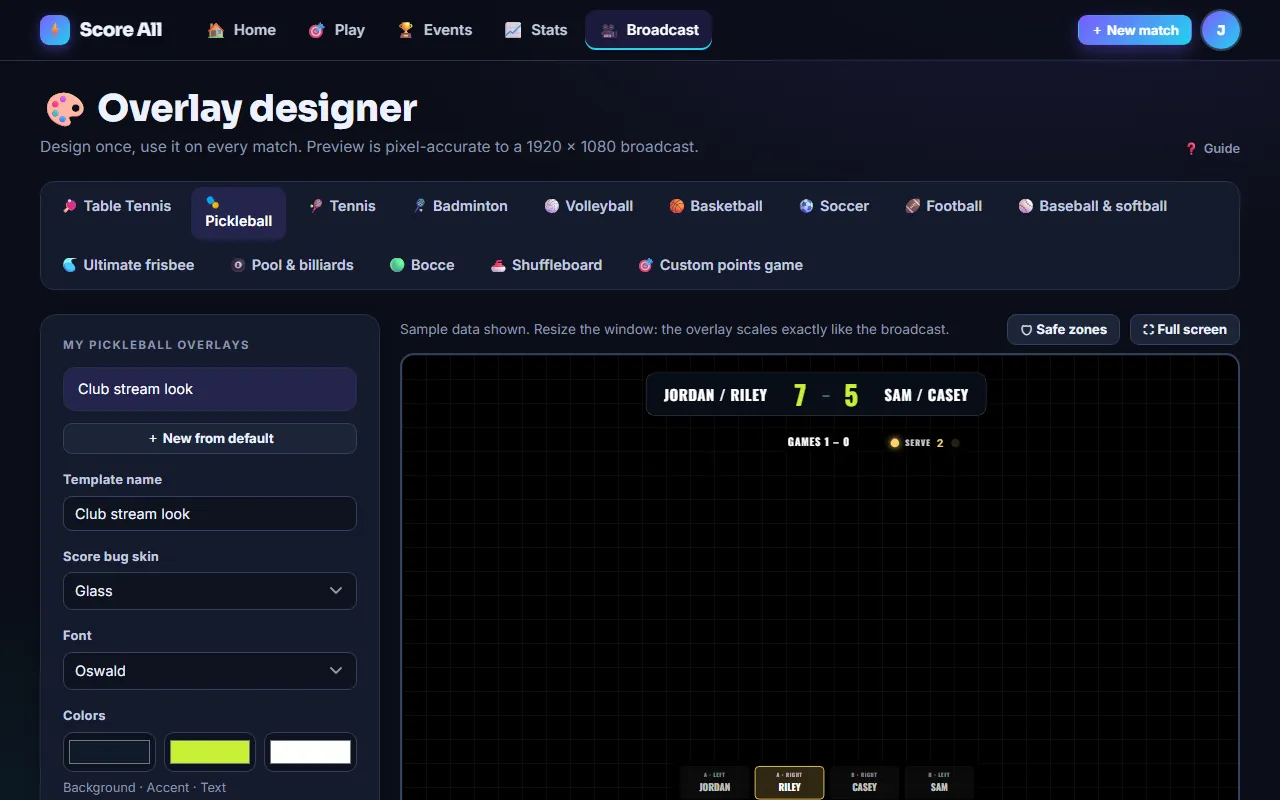
Open Overlays, pick a sport tab. Each sport has its own widgets: score bug, serve indicator, games and sets, pickleball position tray, game and shot clocks, period and fouls, outs and a baseball line score.
Drag, scale, show or hide
The canvas is a fixed 1920x1080 space that scales to your window, so what you see is pixel-accurate to the broadcast at any size. Drag widgets, use the sliders to scale, tick boxes to hide. Turn on the safe-zone guide so nothing lands where a TV might crop it.
Skins, colors and fonts
Choose a score-bug skin, three colors and a font. Save as many templates as you like per sport.
Assign per match or per tournament
Pick the template on the match wizard or when you create a tournament (every bracket match inherits it). Team logos are uploaded per match on the roster step.
OBS Studio
- Add a Browser Source.
- Paste the match's overlay URL (from the launch screen or the console's Overlay panel).
- Width 1920, height 1080. Leave "shutdown source when not visible" unchecked.
YoloBox / YoloLiv
Add a Web Source with the same URL at 1920x1080 and layer it over your camera.
Watermark
Free and Pro overlays carry a small score-all.com mark. Premium removes it.